Daily work
Claim, reply and hand over enquiries
Keep one clear owner for each enquiry, including conversations from your website.
For agents, managers and business administrators
On this page
One shared place for incoming requests
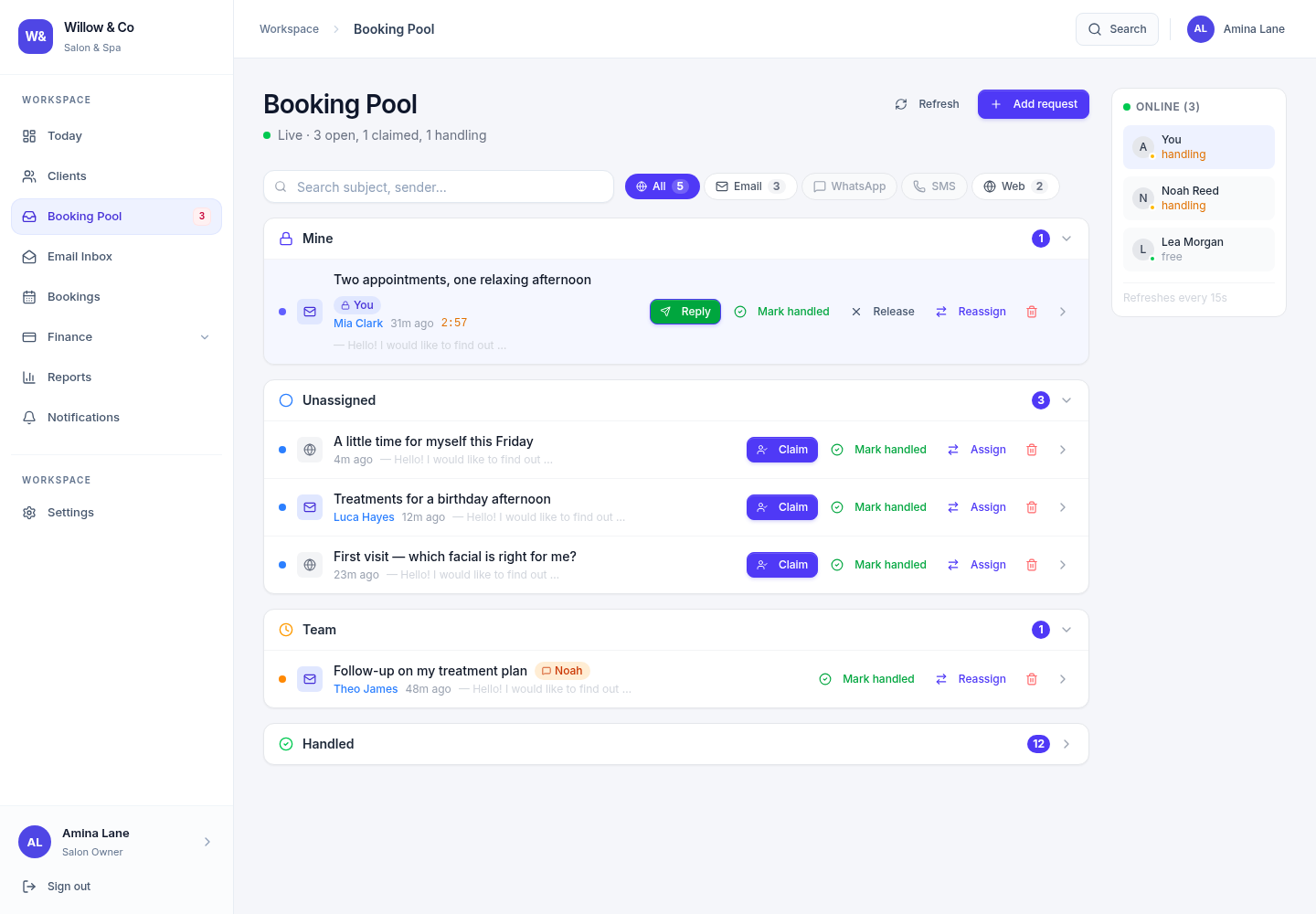
The enquiry pool groups requests by their ownership and handling state. Its displayed name follows your workspace's vocabulary. Use channel filters and search to focus on the requests you are allowed to handle. Website conversations join the same ownership workflow as other enquiries.
 View full size
Understand the ownership states
| State | Meaning | What to do |
|---|---|---|
| Open | No current owner | An eligible team member can claim it. |
| Claimed | Reserved for one team member for five minutes before the first successful reply | Reply before the claim expires, or release the enquiry. |
| Handling | The first staff reply succeeded and the owner remains responsible | Continue the conversation, release it or mark it handled. |
| Handled | The enquiry is closed, retaining its history | A manager can reopen it when further work is needed. |
Respond without duplicating work
Claim an open request
Claiming reserves the enquiry for you. If someone else claims it first, refresh and choose another request. Clicking Claim repeatedly does not extend the initial five-minute window.
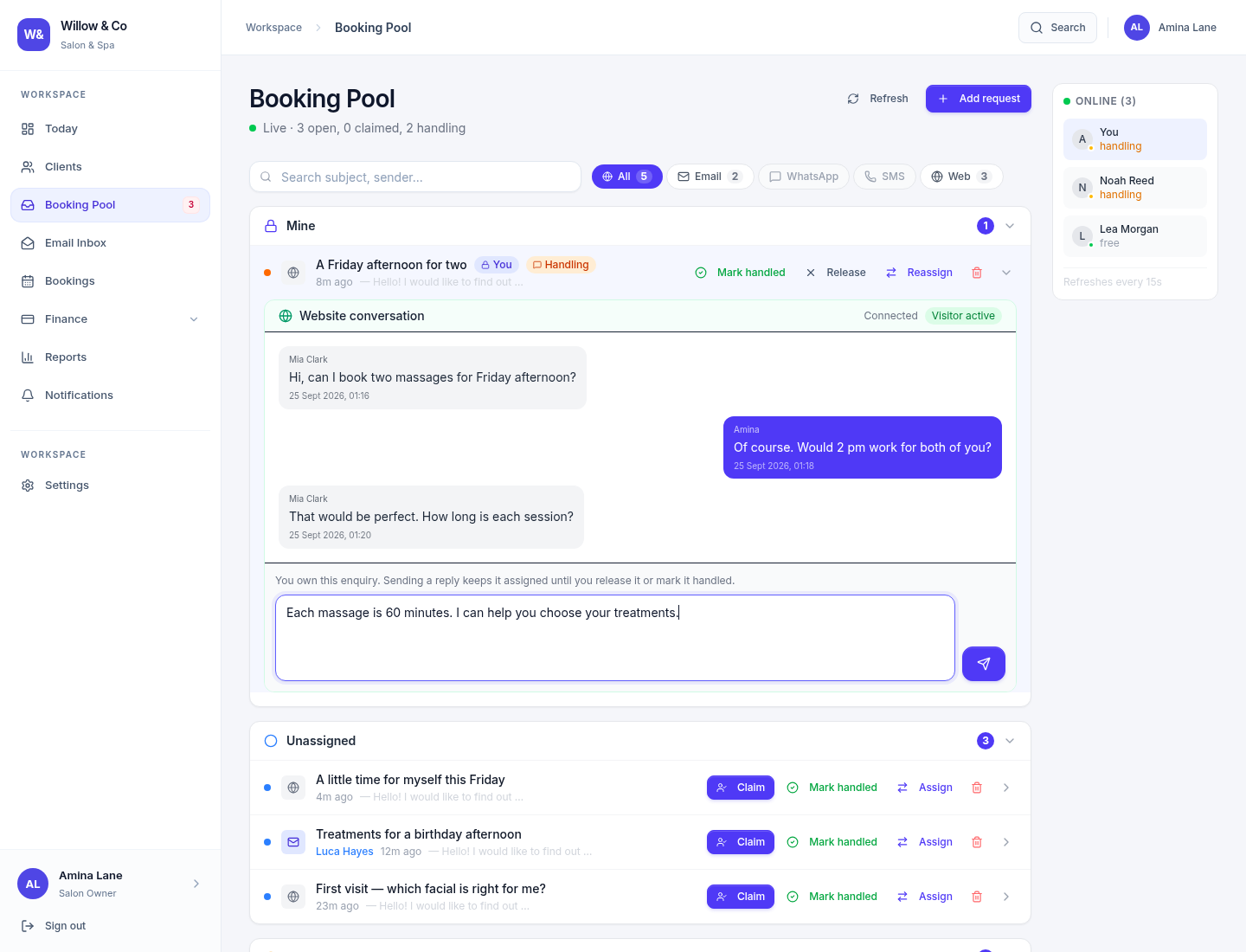
Read the conversation
Check the original message and previous replies before writing. A visible countdown means you have a temporary claim.
Send and check the result
A successful reply moves the enquiry into handling. If ownership changes or a claim expires, sending is rejected and your draft is retained. For an uncertain email delivery, check the mailbox before resending.
Finish or hand over
Mark the enquiry handled when the conversation is complete. Release it to make it available again, or ask an authorised manager to reassign it to an eligible colleague.
 View full size
Assignments and manager actions
Managers with the necessary access can assign or take over visible enquiries. The assignee list contains eligible colleagues for that request. Routing, mailbox restrictions and current permissions still apply; seeing a name elsewhere does not make that account eligible.
For website chat, the agent who owns the enquiry also owns the staff conversation. Automatic replies pause while a human owns the request. A visitor leaving the chat does not remove the enquiry from its staff owner.
Why a channel may be greyed out
- Web requires a paid plan with Website Chat, the Enquiries service, an enabled widget and at least one allowed website. Free shows Paid only until the plan changes.
- Email requires the relevant service and a configured mailbox accessible to your account.
- WhatsApp requires a paid plan, an active WhatsApp service and a connected business number. SMS remains unavailable. The Phone filter is hidden.
- Source routing controls who may handle a source. It does not activate an integration.