Workspace setup
Your plan, services and payments
Review the workspace subscription, understand Free access and report a payment when required.
For business owners and authorised billing administrators
On this page
Read the current plan
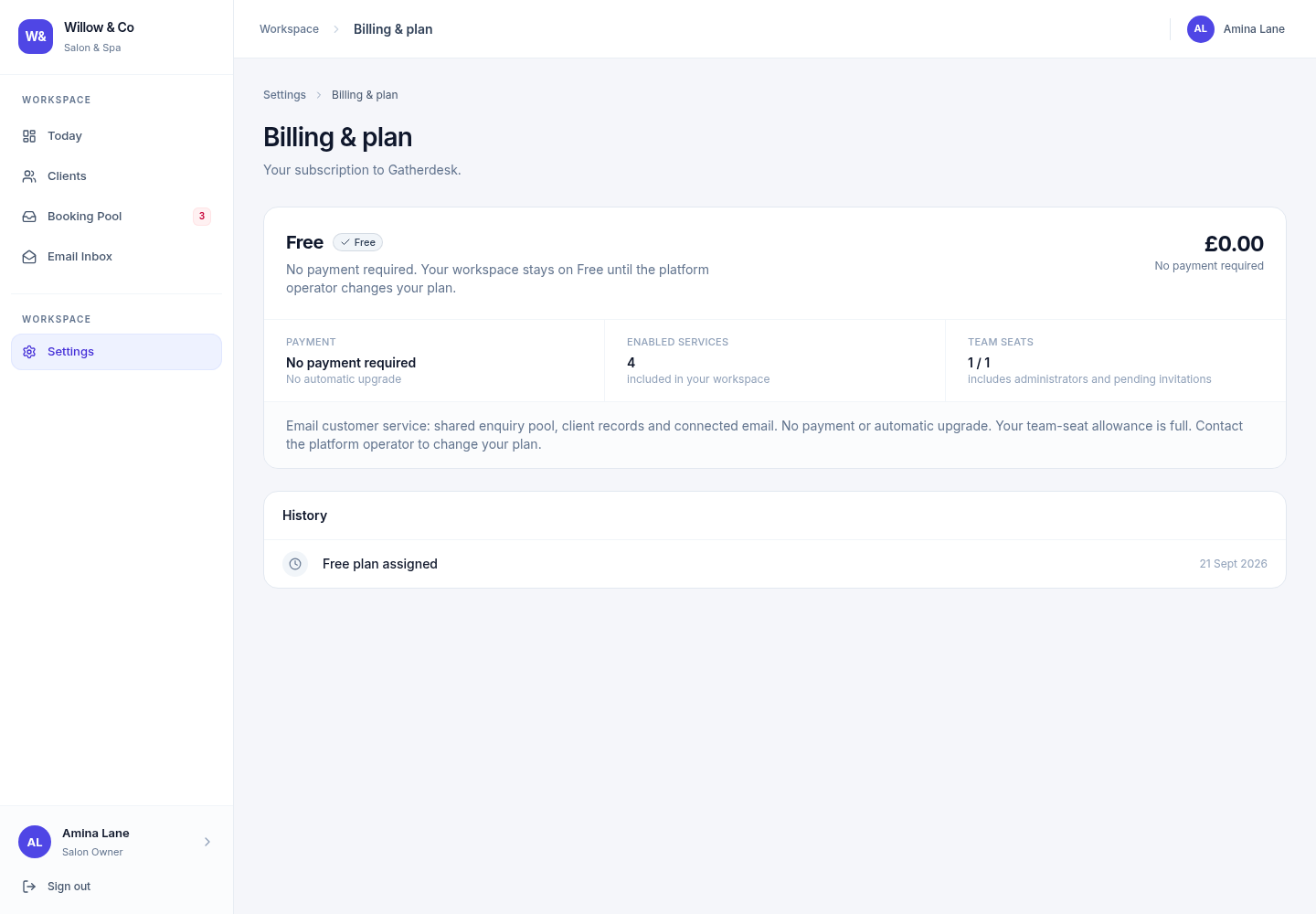
Open Settings → Management → Billing & plan. The page shows the current plan, status, relevant dates, enabled services and billing history. This is your workspace's subscription to Gatherdesk, separate from your customer invoices.
A business starts on Free unless the platform operator explicitly assigns another plan. Free does not require a payment and does not automatically upgrade. A demo or trial request on the public website is a request for follow-up, not an automatic subscription change.
 View full size
Understand what is included
Free includes the shared enquiry pool, customer records and connected email. Paid chat channels stay visible but locked. Starter adds Website Chat and includes three total team seats: an administrator plus two colleagues in any permitted staff roles. WhatsApp is included as a paid-plan service and becomes usable after your workspace connects and activates its own business number. You can use a customer-owned Meta app or guided Meta sign-in when the platform has enabled it. Free and Starter do not include operational work or customer finance services, whatever the industry.
Use the current workspace screen for applicable pricing, interval, dates and services. Active staff and pending invitations count towards the enforced team-seat allowance, including administrators and managers. Customer records do not use staff seats. Existing accounts are retained after a downgrade, but additional staff or reactivations are blocked until space is available. Contact the platform operator to change the plan.
Report a payment when it is due
Check the payment instructions
Use only the configured payment method and destination displayed in the billing page. If the account details are not configured, contact the platform operator before sending money.
Complete the payment outside Gatherdesk
For an available bank-transfer method, use the displayed amount and payment reference. The application does not send a bank transfer for you.
Report the transfer
When your role and subscription permit it, submit the payment details through the page. A report remains pending until the platform operator verifies it.
Review the result
Check the status and billing history after review. Reporting a payment is not proof of settlement and does not independently renew the subscription.
When a plan ends
Cancelled or expired subscriptions fall back to the Free customer-service workspace. Paid channels and operational tools are unavailable while their data is retained. Overdue accounts display their payment and grace-period state. Check the current billing screen for the dates and actions that apply to your workspace.
There is no automatic card checkout in this flow. Do not assume that a saved payment report, a trial request or a service configuration activates paid access.