A question lands while everyone is busy
“How do I arrange an initial consultation?” is a request for help. In the shared pool, an unassigned enquiry remains visible until an available colleague claims it.
Gatherdesk for dental practices
Give every new patient enquiry a next step.
Consultation questions can arrive while reception is checking in patients. Keep routine enquiries visible, with a named owner and the earlier replies available to authorised colleagues.
Customer enquiry
“How do I arrange an initial consultation?”
A clear next reply
Explain how to book a consultation and pass the enquiry to the appropriate team member.
Connected channels feed the pool. Access, plan and channel setup determine what each team member can use.
A day in your business
“How do I arrange an initial consultation?” is a request for help. In the shared pool, an unassigned enquiry remains visible until an available colleague claims it.
Explain how to book a consultation and pass the enquiry to the appropriate team member.
Reply in the same conversation with its history. Connected WhatsApp messages stay linked to the customer number; website chat continues when its session is recognised.
Inside Gatherdesk
Open a conversation to see the customer’s messages and the team’s replies together. Ownership makes the next action clear; history gives the next colleague context.
See how enquiry ownership works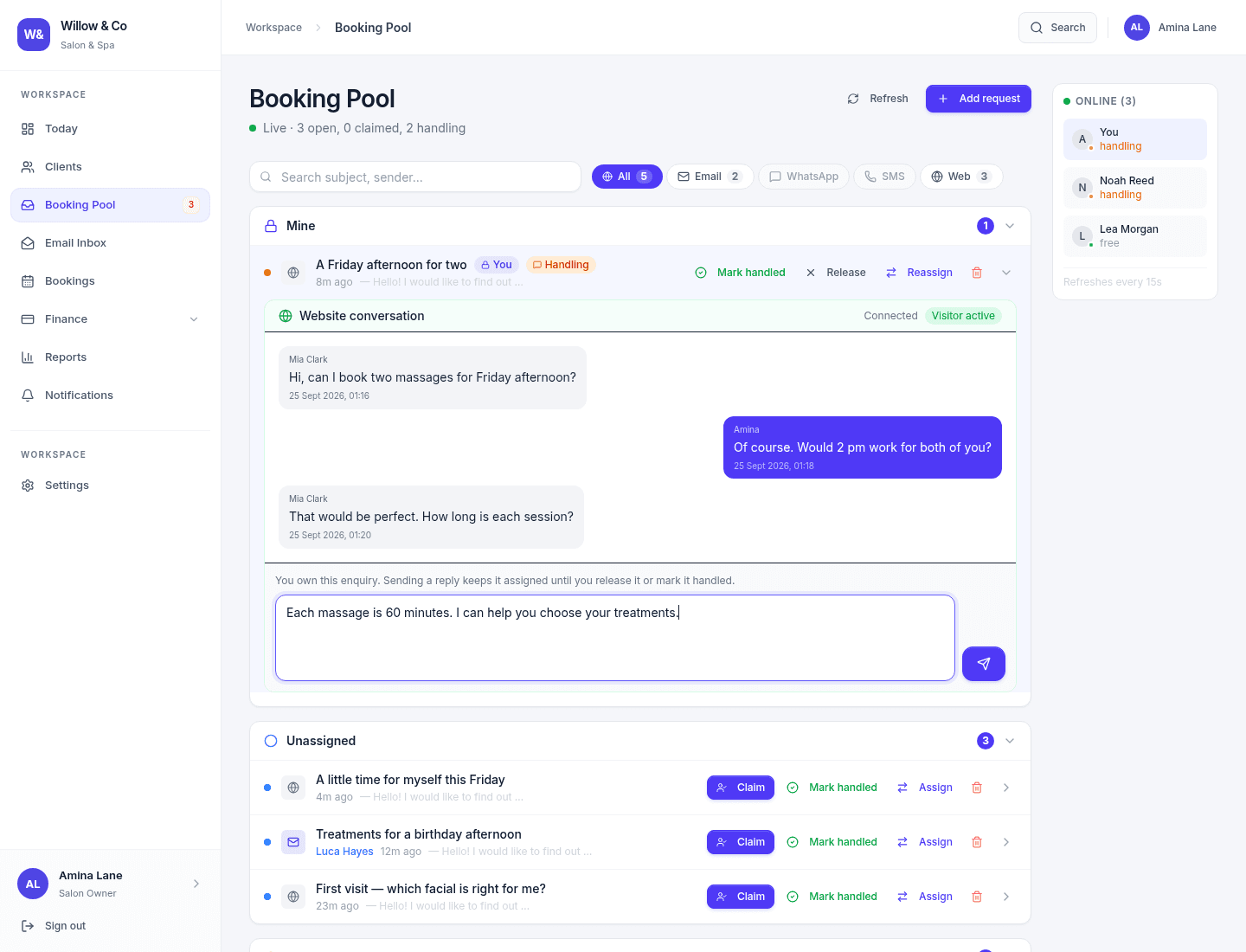
A familiar workspace
Choose your business profile when the workspace is created. It shapes the terminology and relevant services your team sees.
Set up around your team
Before you decide
No. Keep clinical notes, charting and clinical decision-making in your specialist system. Use Gatherdesk for administrative enquiries with access appropriate to your practice.
Connect an IMAP/SMTP mailbox, install the Gatherdesk website chat widget and configure WhatsApp through Meta Cloud API. Channel availability depends on your plan and setup. Phone calls, SMS and social DMs are not native channels today.
Yes. Where AI is configured and enabled for a supported chat channel, a staff reply pauses automatic replies. The team can resume AI when appropriate. Email replies stay under staff control.
Access depends on the role, channel and mailbox assignments. Managers can supervise assigned teams; agents work within the access granted to them.
Use your clinical system for charting, medical history and treatment records. Gatherdesk is an enquiry tool, not a clinical system or a claim of healthcare compliance.
Bring a typical customer enquiry to your demo. We’ll walk through how your team can handle it together.
No card required · See Gatherdesk pricing